Product guide
A walk through GetXEO in the order you meet it: create an account, set the workspace up once, run a visibility scan, then start publishing the blogs that earn citations.

1. Signup or login
Create a GetXEO account or sign back in.
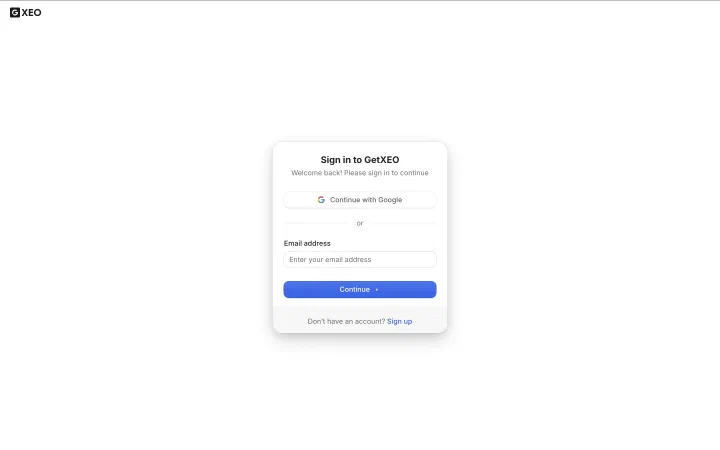
Sign in with a Google account, or enter your email address and continue. The same card covers both paths, so if you do not have an account yet, the sign up link sits at the bottom of it.
2. Create workspace
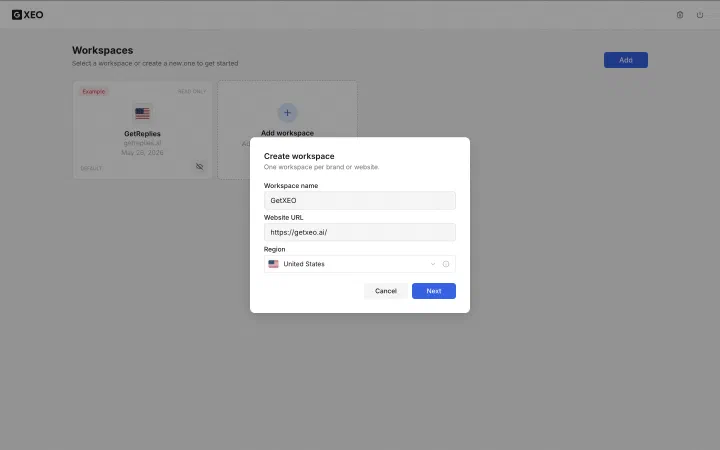
Name the brand, give its website, and pick a region.
Add opens a short form: a name, the website URL, and the region the brand should be measured in. One workspace covers one brand in one region, so a second brand or a second region needs its own. Next moves you into setup.
3. Brand sitemap
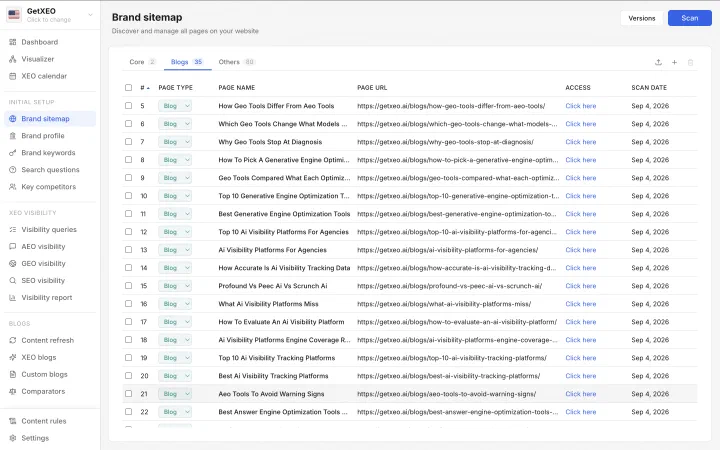
Scanned automatically, then sorted into core, blog and other pages.
Creating the workspace triggers the first scan, so the sitemap arrives already built. Every page found is sorted into Core, Blogs or Others, and any row's page type can be corrected if the scan filed it wrong. Scan again as the site grows.
4. Brand profile
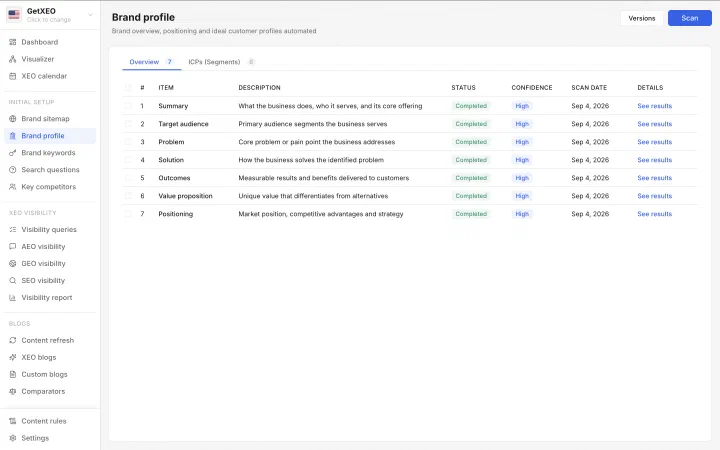
Built automatically from your core pages, with confidence ratings.
The core pages from the sitemap are read to build the context the models work from. Seven items land here: summary, audience, problem, solution, outcomes, value proposition and positioning, each carrying a confidence rating. Ideal customer profiles sit on the second tab.
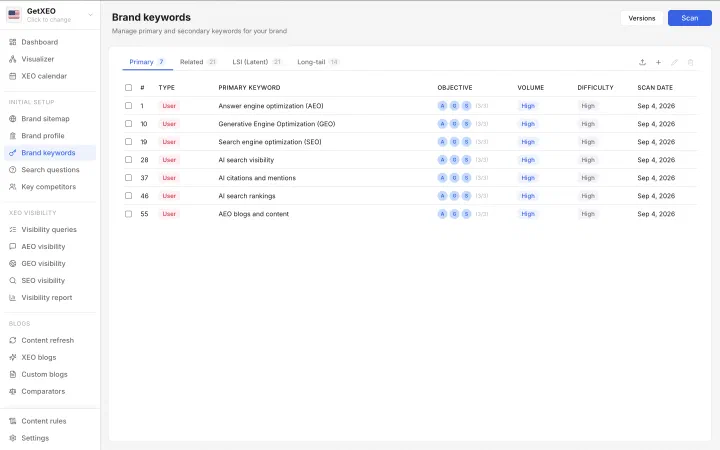
5. Brand keywords
Built from multiple sources, from primary through to long tail.
Several sources are analyzed to build the keyword set, sorted into primary, related, latent and long tail. Each keyword carries the objectives it serves, along with its volume and difficulty. These are the foundation for the AI search questions defined later in setup.
6. Search questions
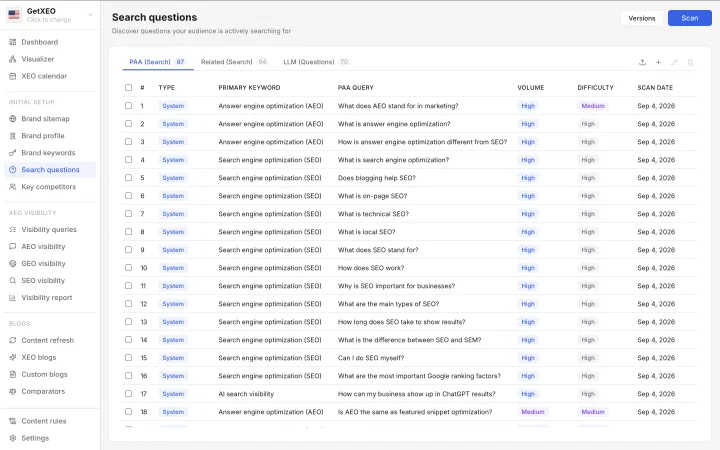
Real questions collected from search engines and language models.
Each keyword goes to the search engines to collect the People Also Ask questions real searchers see, plus related searches and questions put to language models. Every row names the keyword behind it, and all of it strengthens the AI search questions defined later.
7. Key competitors
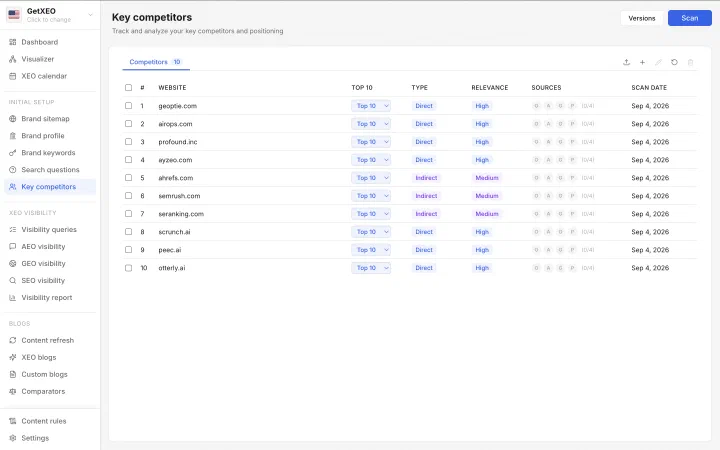
Identified by several AI models, then reconciled into one list.
The brand profile is put to several AI models at once, each asked who this brand competes with. Their answers are reconciled into one list, marked direct or indirect, ranked by relevance, and showing which models named each one.
8. AI search questions
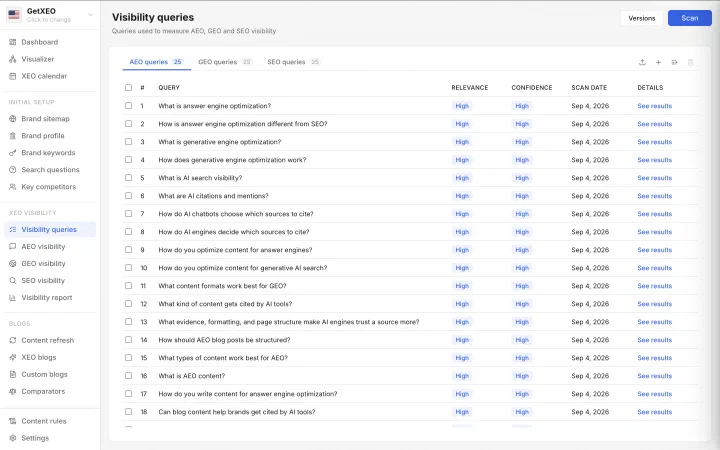
The question set the brand is measured and optimized against.
This is the question set the brand is measured and optimized against, held separately for AEO, GEO and SEO. Everything from the keywords and the search questions converges here. Each query carries a relevance and confidence rating, and its own results.
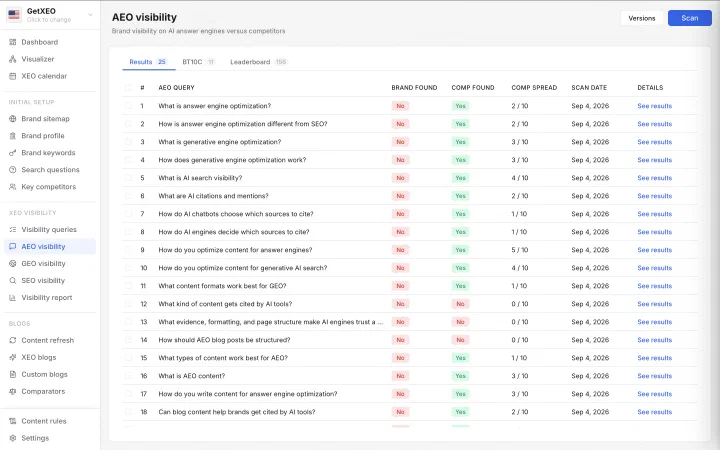
9. AEO visibility
Live scan of ChatGPT, Claude, Gemini and Perplexity answers.
Every AEO query is put live to ChatGPT, Claude, Gemini and Perplexity, and the answers are read back for citations and brand mentions. Each row shows whether the brand was found, whether competitors were, and how many of the ten appeared.
10. GEO visibility
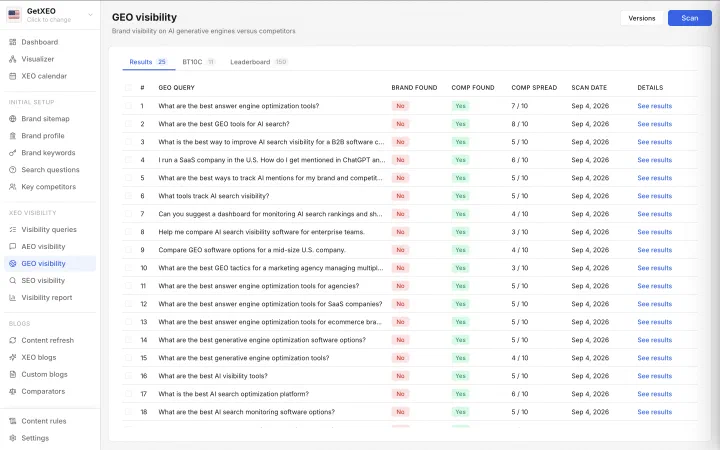
The same engines, scanned on buying and comparison prompts.
The same live scan runs across ChatGPT, Claude, Gemini and Perplexity, this time on the prompts buyers use to choose: best tools, comparisons, recommendations for a company like theirs. Competitor spread tends to run higher, since these answers name a shortlist.
11. SEO visibility
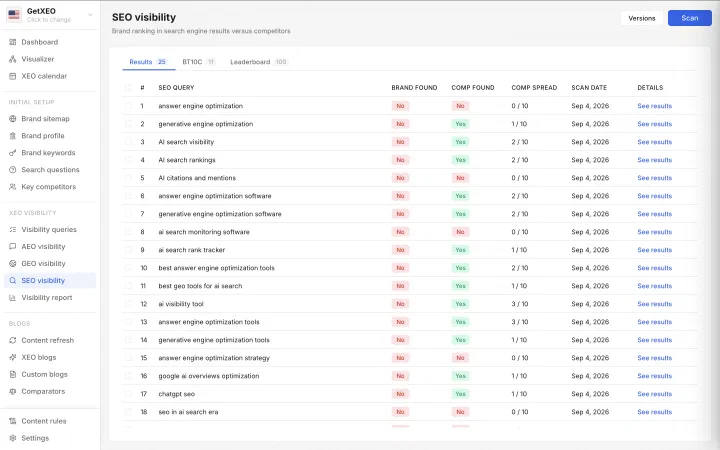
Live Google scan checking the top ten page one results.
The third scan is classic search: each keyword is run on Google and the top ten results on page one are read back. Queries here are the short terms people type, rather than the questions and prompts the two AI scans use.
12. Content refresh
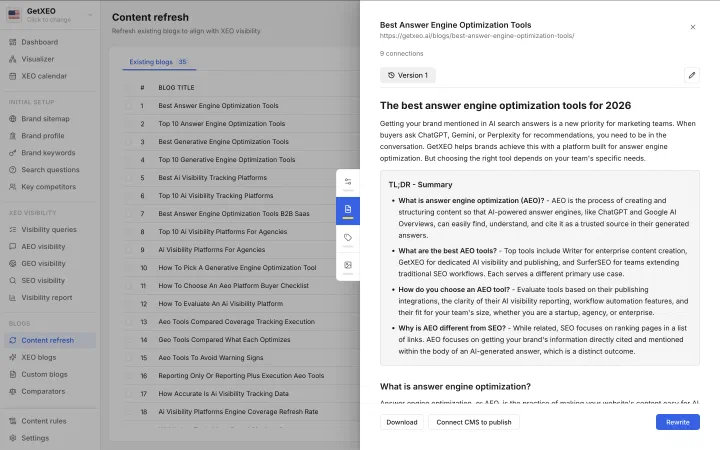
Existing posts rewritten with current data and better structure.
The blogs already on the site are read and the ones worth refreshing are picked out. A refresh rewrites the post with current data and the structure that AEO, GEO and SEO reward, then you download it or publish through a connected CMS.
13. XEO blogs
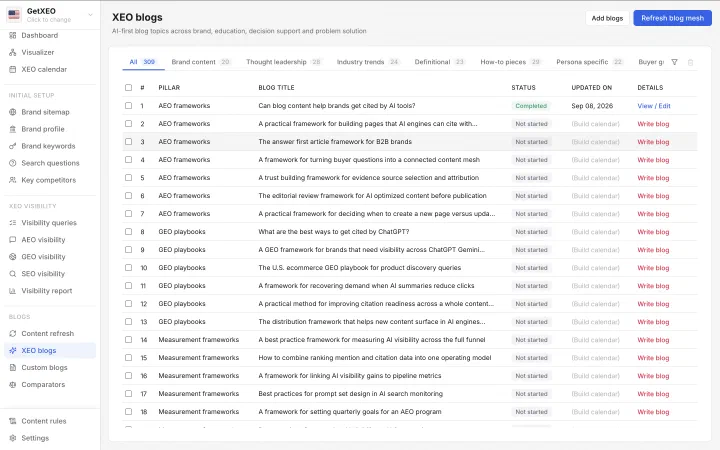
Titles planned from the gaps and written as a mesh.
The visibility results, the gaps they expose and the blogs already published are read together to produce a title plan. Titles are grouped by pillar and category, and written to link into each other as a mesh rather than as standalone posts.
14. Custom blogs
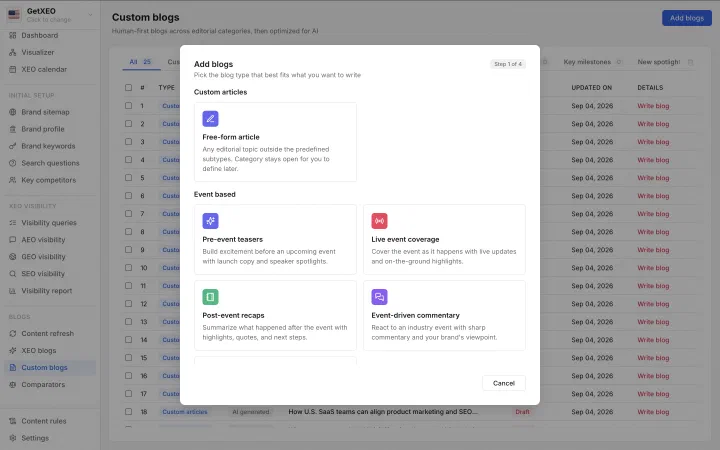
Over thirty five blog types, each with its own agent.
Where the XEO plan is programmatic, this is where you choose. Over thirty five blog types are on offer, each with an agent built for it, from event coverage to free form articles, and every one is optimized for AEO, GEO and SEO.
15. Comparators
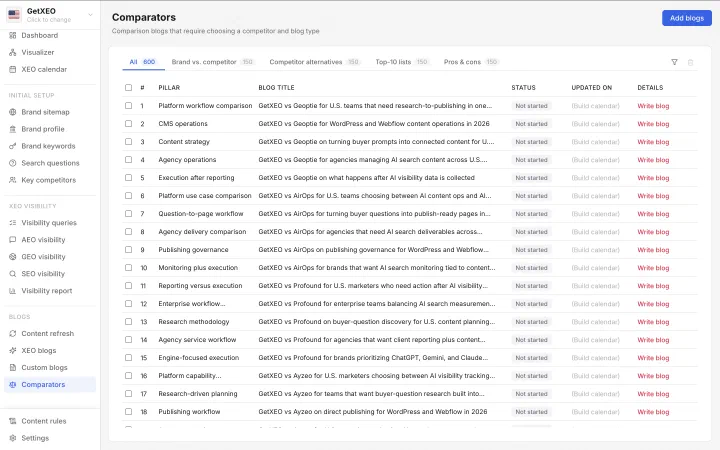
Comparison posts against every competitor marked in the top ten.
Every competitor marked top ten gets its own set of comparison posts, in four shapes: brand versus competitor, competitor alternatives, top ten lists and pros and cons. Each title pairs one competitor with one angle, so the whole field is covered.
16. Content rules
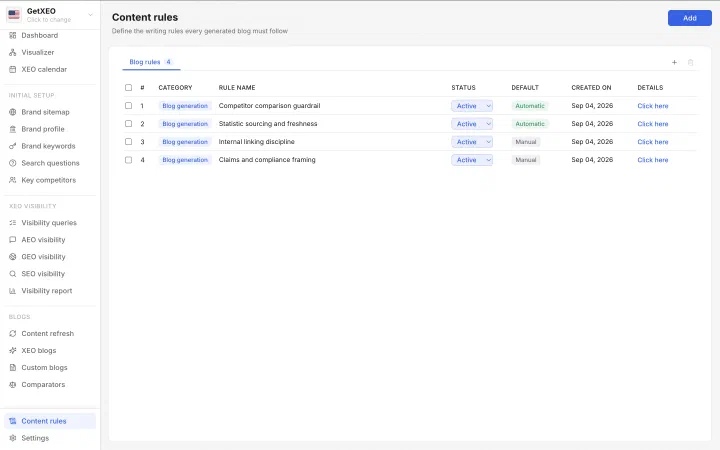
Writing rules every generated blog must follow, brand or author.
Rules set the writing standard every generated blog has to meet. Some ship on by default and the rest you add, covering tone, style, sourcing, internal linking and how claims are framed, for the brand as a whole or for a single author.
17. Settings
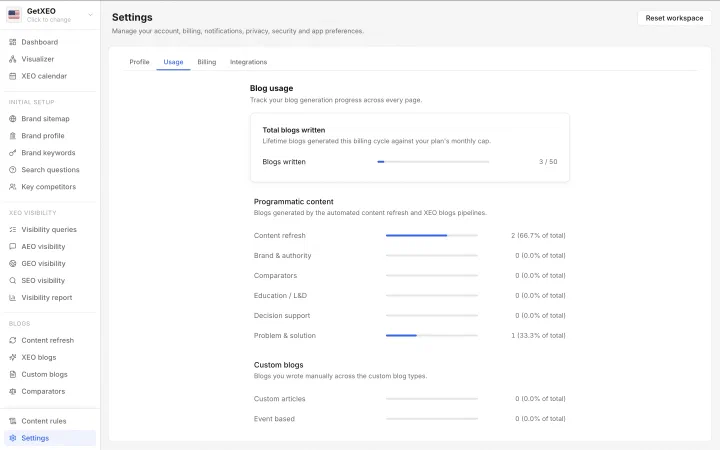
Profile, usage, billing, integrations, and the workspace reset.
Four tabs: profile, usage, billing and integrations. Usage counts the blogs written this cycle against the plan cap and breaks them down by pipeline. Reset workspace sits in the corner as the danger zone, clearing the workspace and starting it again.
Integrations
Blogs do not have to stop at a download. Connect the CMS the site already runs on and GetXEO can publish straight to it, so a finished post goes live without anyone copying it across by hand. Webflow is live today and the rest are on the way.